Search

Librarian Design Share

inspiration for library creatives

Mapping the Important Things

Whether we want to admit it or not, it’s quite likely that we all have a map in our library that looks a little something like this:

Old St. Francis College Library Map
The “Before” — Original St. Francis College Library Map

It’s descriptive, but difficult to scan, confusing to read, and not particularly visitor-friendly. Carolyn Li-Madeo at the St. Francis College Library in Brooklyn, NY took this original library map and turned it into a resource that’s not only easier for students and visitors to use, but clearly maps out the important spaces in her college library.

New St. Francis College Library Map -- Front
New St. Francis College Library Map — Front
New St. Francis College Library Map - Back
New St. Francis College Library Map — Back

Here’s Carolyn in her own words:

The library map is one of my most used tools at the Reference Desk. Prospective students and their families take copies as they pass through on tour, students and professors utilizing the library from other schools use it to find their way around, freshman locate quiet spaces to study and almost every student who comes to the desk for a  Reference Interview leaves with an annotated library map.

It was from these scrawled map notes — full of highlighter, arrows and call numbers — that I began to rethink how the map could better serve library patrons. So much of what the library has to offer students and professors is hidden behind a necessary veil of organization, however this organization tends to lead to an obstructive curtain of abstraction.

Map KeyMy goals with the redesign of the map was to ‘un-code’ the library collection by creating visual and textual entrance points for users. This primarily entailed adding subject headings by call number to the new map key and also the creation of a color coding system. You might notice that the subject headings are not all Library of Congress subject headings, instead some of the headings were changed to reflect the courses of study available at St. Francis. Additionally, many students study both nutrition (health promotion) and sports medicine, so these two divided sections were visually connected by the same color.

Other simplifications included the removal of ephemeral or highly detailed information that did not pertain to the physical collection. Individual tables (which often move throughout the semester) as well as computers were eliminated from the map.

Help Desk IconAdditionally, locations where students can receive help or assistance were united using icons and all three floors of the library were rotated to face north. This rotation caused the map to spill off onto the back of the page, a happy accident that allowed for a space to answer some frequently asked questions regarding library policy.

You can read more about Carolyn’s map redesign on her fantastic blog, Antelope as Document. You can download a PDF of her redesigned map, or email Carolyn for the original Adobe Illustrator files.
Branding Your Library

We librarians tend to make a lot of help sheets and signage to assist patrons as they use our resources.  That’s really what Librarian Design Share is about, right?  But even with best intentions, we don’t always fully think about the way our publications as a whole look and feel to our patrons.

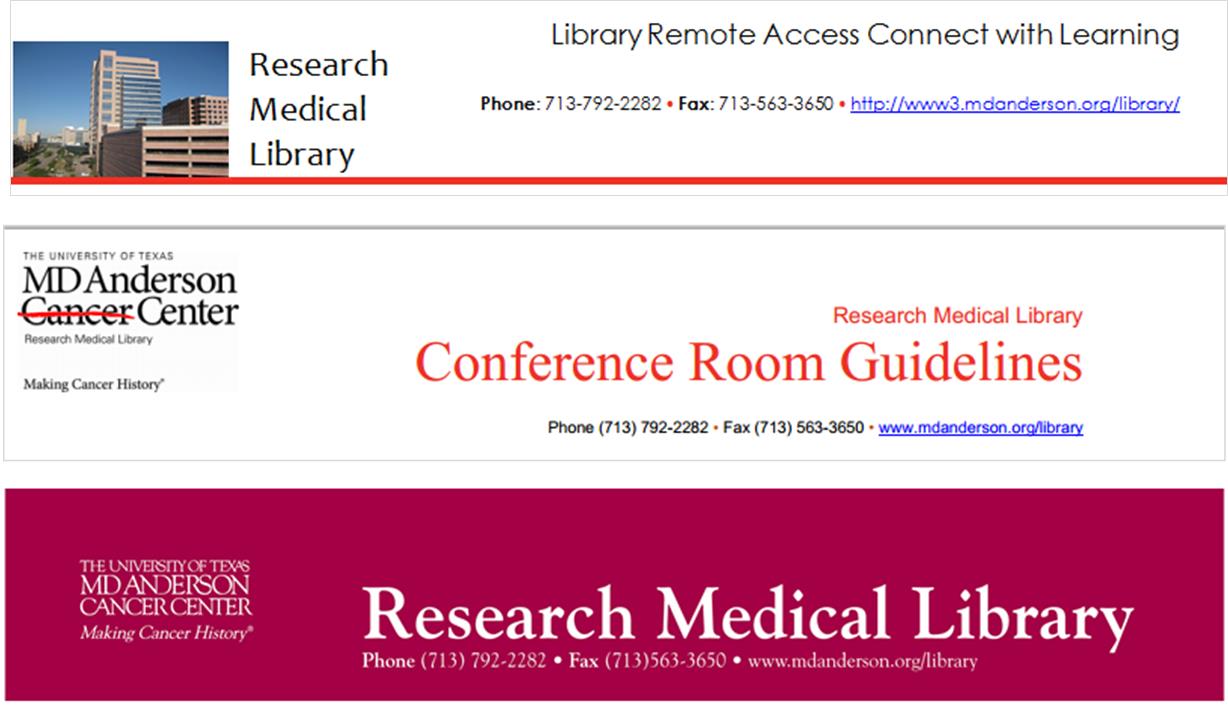
I think Librarian Design Share would be remiss if we didn’t talk standardizing the look of your library’s publications, or branding, if you will.  Brands can highlight something unique about your community (perhaps it’s near water or you’re known for an historical event), your library (maybe you have an awesome stained-glass window or a spiral staircase), or it can be based on something more abstract, like colors, shapes, or even text.  We based our library branding on the pretty rainbow of colors our bound journals make on the shelves.  Everyone has bound journals on their shelves, but there’s something about the color arrangement and the mass amount of them that make the way they look in our large, light-filled space memorable. Here’s our general publication header that can be copied to any document:

new brand

Whatever standardization you decide upon should happen across the board–from all the pieces of paper that a patron might see in your library to your web presence. This is our website’s look:

8-6-2013 12-10-59 PM

I thought my library was well on the way to doing this, but a quick audit of our documents online and on our slat wall exposed at least three previous brands that are still in use on our handouts.

old brands

Yikes, you know what my new project is…

Think about it terms of your favorite store: their shopping bags have the same look as their store signage as their website, right? So should our libraries.  It’s about making things more consistent in the minds of our users. More simply, it’s about showing our users that we care enough to keep things updated, neat, professional, and easy for them to digest.

If you have great examples of a branding campaign you’ve created and implemented at your library, we’d love to see them! Consider submitting them to our site and sharing them with your colleagues.

PowerPoint to Impress

When the Senior Vice President makes 3 hours in his schedule to tour your library and talk to each department and staff member, you have to come up with something to impress him. We originally thought he could visit departments and individuals, and they could give him handouts of their stats and information while telling him more about their day-to-day actions. And then it hit us that we’re the library; we should strive to make our presentation to him as forward-thinking and eye-catching as we can, and we should make the experience as real as possible.

So, we assigned roles and scenarios to the VP so that he could experience the library as our patrons might, and along the way we could give him the behind-the-scenes view into what we do that makes their experience here so easy.  To show off our technology skills (and our stats), we devised a PowerPoint from pictures that we’ve taken of our library. We used SkyDrive to load it to a library iPad and presented it to him when he arrived.  The VP took the iPad to each department, which kept him on track with scenarios, and it kept our numbers right in front of him.  Here it is:

We uploaded the presentation to SlideShare and sent him the link before he could even get back to his office.  Impressed does not begin to describe his reaction.

Interested in modifying this presentation for your own library? Contact me for the original file.

Same Design, New Use

A few months back, I went to a resource fair in my institution, and another department had an interesting giveaway that I hadn’t seen before: an iPad cleaner.  Of course, this is really nothing more than a large eyeglasses shammy, but by putting it into the trendy context of an iPad or a tablet cleaner, it became THE swag to snag.

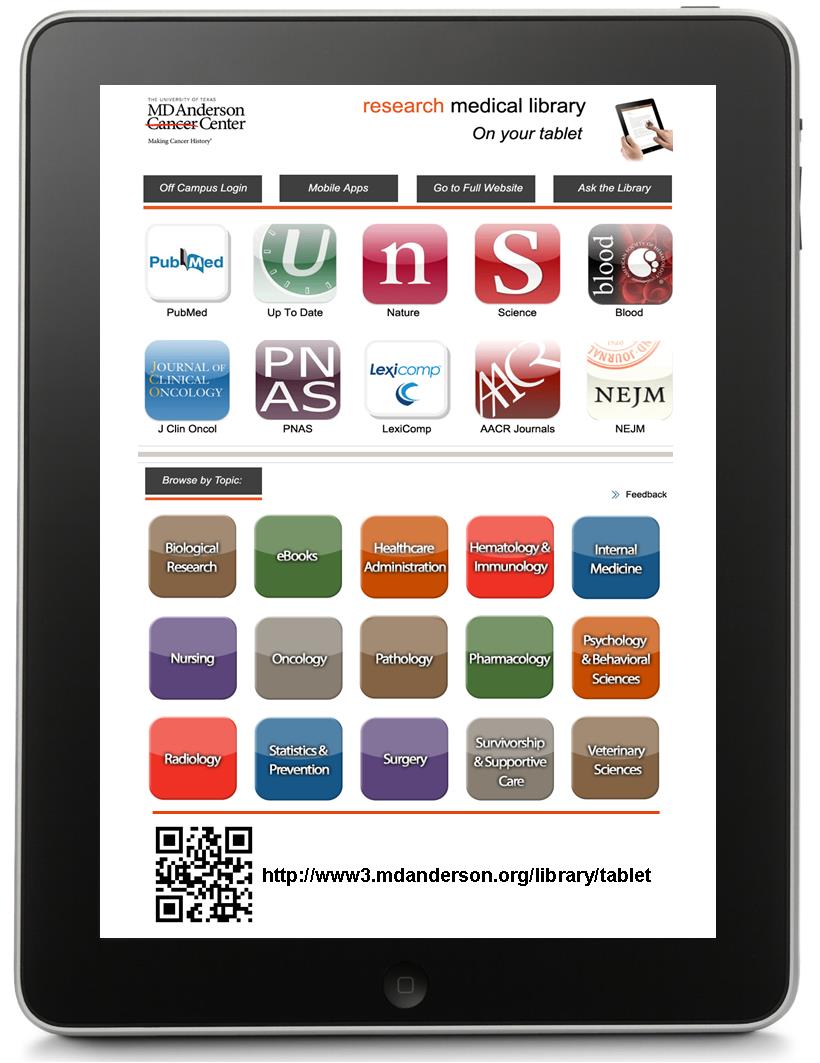
So, of course, I decided that my library needed to get in on this and make our own cleaner for the next opportunity we have to give things away.  I started with a simple, basic design, like the one that I picked up, but before long, I realized that we could use a design that was already in circulation…our tablet handout.  The iPad layout fits perfectly to the 5 1/2 x 7″ size of cloth.  The only change I needed to make to the design was to include our tablet site’s web address and QR code at the bottom so that patrons could find the site we were advertising (the tablet handout was two-sided with that information on the back, and the cleaning cloth can only be printed on one side).

iPad cleaner

You may notice that our tablet site’s image changed a bit since the last post, but we have committed to keeping this design for at least a year, so we ordered 500 of these babies at about $1.50 a piece through our institution’s vendor, and we think they’ll be a big hit!

What are you guys giving out to patrons this fall?

Contact me if you want the original Publisher file for this design.

Connecting with Freshman

iphone bookmark frontiphone bookmark back

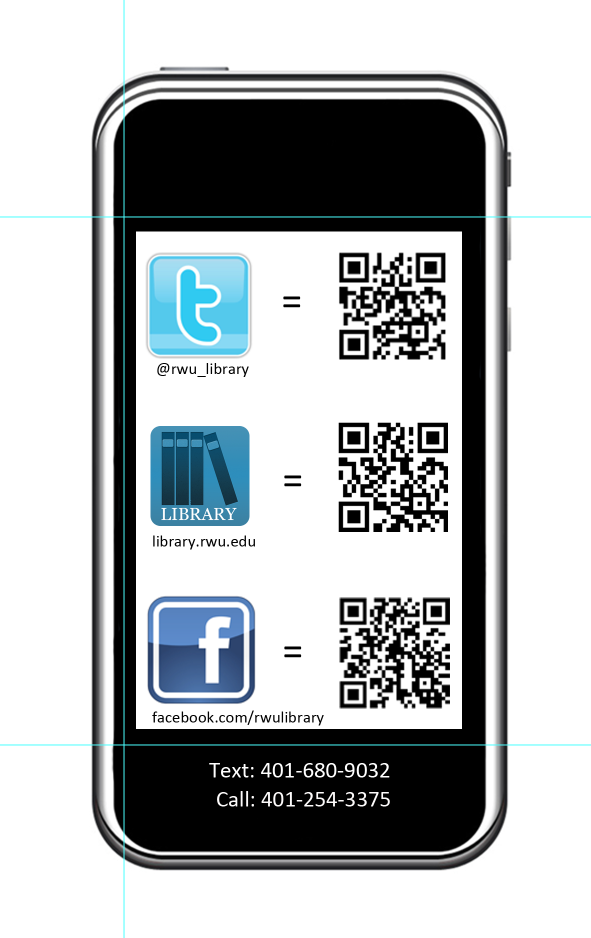
If you’re an academic librarian, late summer is (among other things) the time for Fall Semester prep. Lindsey Gumb, Web & Digital Services Specialist at Roger Williams University Library has created these cute bookmarks to give away to freshman and new students in the fall. Here’s Lindsey in her own words:

I recently designed a “bookmark” to be passed out to incoming freshmen to promote our social media and to give them a quick “cheat sheet” link to all the ways to connect with us. We’re new to really using social media to connect with our students, so we want to make sure we promote as much as we can. This bookmark is just one way we’re doing that! It was designed using Photoshop CS5, and I have the psd files for anyone that’s interested in seeing them. I’m not a graphic designer by any means, so the design is simple, but it works for us, and I’m happy to share!

Lindsey’s bookmarks also include a great adaptation of Michael Schofield’s mobile app icon for libraries, which was featured on the blog in February. It’s nice to see designs shared here reused and adapted!

For the original Photoshop files, email Lindsey.

Simplifying the Copy Machine

Why are copy machines so hard to use?  It seems like the basic functions haven’t changed in years, yet every machine is different, and every one is overly complicated.  The relatively new machine at my library used to take 6 pages of directions to operate!  Even something as simple as placing the document on the glass surface to copy took this much direction:  scan from top glass

Because we apparently have no control over how difficult the machine is to use (press “finish” then “start”?!?), I attempted to at least simplify the directions.  Here is the same procedure as above, hopefully improved:

toscan

I used numbers (rather than Roman numerals) that correspond to the pictures on the side because I find that the images integrated into the directions are distracting. I also used simple colors and clearer images that I found from the online copier manual.  These directions are posted on the wall near our copier, so to improve the user experience from afar, I enlarged the text from the nearly-impossible-to-see 12-point font to an-easier-on-the-eyes 18-point and surrounded the words with a lot of white space.  It’s not the perfect solution (that would be magically making the copier more intuitive), but it works a little better than it did.

If you are interested in seeing more of these directions, email me for the Word document.

Pop Up Herb Truck

Library displays are often planned out laboriously, but other times they happen organically (pun intended), as the case with the Pop Up Herb Truck at Northern Virginia Community College, Annandale Campus.  Librarian Paula DeRoy–you may remember her from this post–explains:

You know how it is with creativity… and gardeners…and librarians.   It all started when one of the staff offered to bring in some lavender from his garden.  We got to talking about the herbs we have flourishing right now.  So we decided to bring in herbs and why not pull some books from the collection?

The herb display is kind of symbolic of our “lifelong learning” philosophy.  We aren’t just here to teach “to the class,” we are here to promote lifelong learning and information literacy.  With herbs, we could look at the senses, aromatherapy, art, cooking, historic and medicinal uses, etc. etc.  We just keep trying to connect with our students and make them feel comfortable using the library and our services.

What are you guys doing out there with your book trucks when they aren’t full of books to shelve?

When Your Library’s Blog Needs a Little Push

Like a lot of libraries, the St. Mary’s College of Maryland Library has a blog. The librarians (and some of our library staff) are rotating contributors, and we try to cover everything from interesting stuff in our print and online collections to events to what’s going on in the info-verse. It’s a mixed bag, but we like it that way.

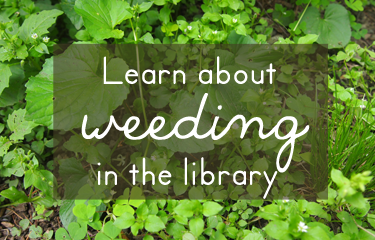
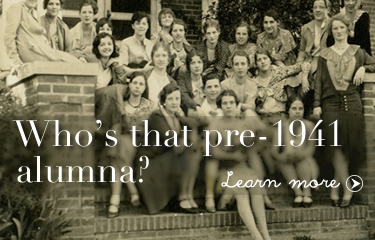
Although we offer plenty of ways for our campus community to subscribe to content updates (Twitter, RSS, Email), I haven’t been super successful at increasing our number of subscribers. So to make sure that people know about our blog, I try to highlight our posts on our library website’s image carousel. Here are my latest efforts:

Learn about weeding in the library
Photo Credit: Chickweed forest by Wayne Marshall on Flickr.
A St. Mary's Librarian at the NYPL
Photo Credit: Image by SMCM Librarian Alana Verminski
Who's that pre-1941 alumna?
Photo Credit: Image from the St. Mary’s Library Archives

How do you highlight your library’s blog?

For the original Photoshop files of these slides, email Veronica Arellano Douglas.

Making Sense of Databases in Libguides

We are, without a doubt, a Springshare library. Libguides? Check! Libanswers? Yes! Libchat? Yup! LibCal? You bet!

Although we’ve embraced Libguides as a platform for creating subject (and not-so-subject-based) guides, we hadn’t really been using Libguides in a way that many librarians currently do: as the main access point to the library’s online database collection. Instead we were using ResearchPort, a gateway maintained by the University of Maryland Libraries ITD center. We wanted to have more control over our database access point interface, so we decided to go with a Libguide. Here’s what I came up with: Databases Libguide (see screenshots below).

Databases Libguide

It has the same look and feel as our library site and our other libguides, but has some cool features I’m really proud of creating and adapting.

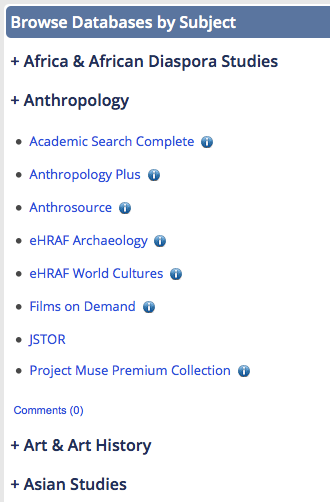
Browse Databases by Subject1. A drop-down Databases by Subject menu

The technical support at Springshare is amazing. I knew that I wanted to avoid creating separate pages/tabs for each of our subject categories, but I didn’t know enough about scripting to create collapsible menus. Enter Cindi Trainor at Springshare, who set up a great collapsible box feature for me to use. All that was left for me to do was style each of the subject boxes that that they smooshed together (yes, that’s a technical term) and looked like one giant box. Fooled you, didn’t I?I think this is a nice way to get a lot of useful content on the page without taking up a ton of room.  Bonus: Our subject librarians can reuse these database boxes on their own subject guides!


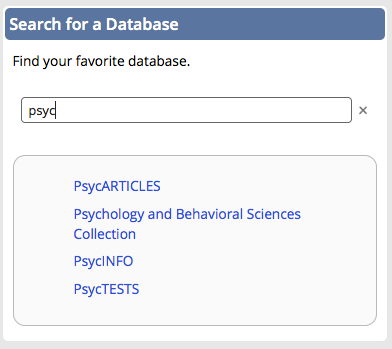
Search for a Database2. A Find a Database search box

This is an adaptation of the search created by Scott Salzman at Furman University Libraries. He recently presented this amazing solution at the 2013 Springy Camp, thereby and was kind enough to offer his code and support.

You can learn more about this search box in the Libguide Scott created for his presentation. It’s a great alternative to using the “search this guide” feature embedded in Libguides, which will only give you the name (aka the letter) of the page in which the database link appears.

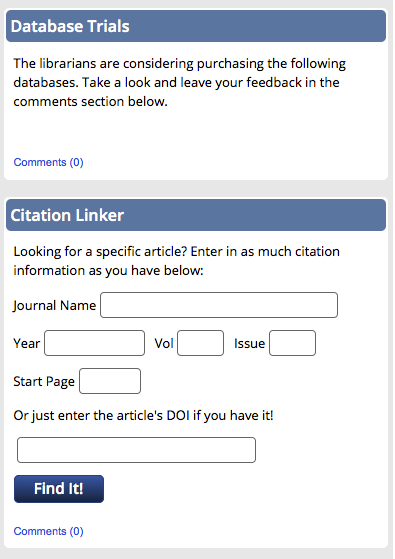
3. A space for database trials and our citation linker

Database Trials and Citation Linker boxes

If you have questions about the creation of this guide, email Veronica Arellano Douglas.

Create a free website or blog at WordPress.com.

Up ↑