Search

Librarian Design Share

inspiration for library creatives

Author

Veronica Arellano Douglas

Instruction Coordinator at the University of Houston Libraries

What’s On Your Image Carousel?

A quick scan of library websites reveals that most have embraced the image carousel as a means of communicating news and announcements with library users. It’s how we share information about new resources, special events, library collections and any bit of information we think our patrons (or students or faculty or visitors) would like to know.

Creating effective images for a library website carousel can be a challenge. There is a delicate balance of imagery and text that, if distributed too far in either direction, can make your carousel announcements fade into the website background or cause digital users to shield their eyes and exit a page faster than you can say Google Analytics.

We’ve shared examples of web slides and carousel images in previous posts, and today we bring you a few more examples courtesy of Michael Hughes, Instruction Librarian at Trinity University in San Antonio, Texas.

Two Screens Are Better Than One. Check Citations on Your Phone

Here’s what Michael has to say about creating effective web announcements:

I create carousel images for our website in order to promote new acquisitions or services. Here are two banners I made, one for our site-wide New York Times subscription and another for our mobile citation tool. Heat map testing demonstrates that the carousel is one of the least-clicked parts of the library website, but my images also appear in a slideshow that plays in the library’s cafe. At any rate, the carousel is just one component of an outreach strategy and, as a bonus, the images keep the website from appearing disused.
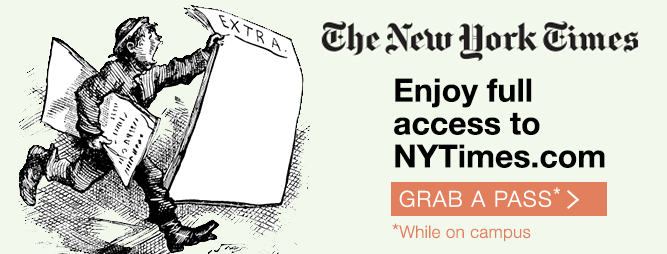
Enjoy Full Access to NYTIMES.COM

Michael’s carousel slides present a nice balance of text and images while connecting website visitors to important library resources.You can download the original, editable Photoshop files of these slides from the Librarian Design Share Google Drive folder.

Hand Lettering on Sidewalk Chalkboard Signs

I almost ate it and went with a pun for this blog post. Thankfully, I decided to bury “Chalk it up to good design” and focus on the great hand-lettering-style fonts on this poster. Like Nono’s chalkboard-style conference poster, today’s featured design makes good use of old school chalkboard cool to create a poster that’s sure to catch students’ attention.

Remember to Return Your Books to the Carl B.

Solveig Lund, Instruction and Reference Librarian at the Carl B. Ylvisaker Library at Concordia College created this poster using Microsoft Publisher.

The circulation manager asked me to create a 24×36 poster to place outside on a main campus sidewalk at the end of the semester to remind students to return their books to the library.  There are many collections of chalkboard fonts and sample designs available on Pinterest that I used for inspiration. I used Microsoft Publisher to create the sign and downloaded free fonts/wingdings from dafont, including:

I don’t know about you, but I’m a little bit obsessed with the Chalk Hand Lettering pack right now. You can download and adapt Solveig’s original Microsoft Publisher file, which is available on the Librarian Design Share Google Drive folder.
Beautifying Journal Reviews

Journal reviews are serious business at academic libraries. If any of you have been through a systematic departmental or subject review of your academic journal holdings you’ll know that faculty are very protective of these materials. If you utter the word “cut” or “cancel” with no context to a room full of academics you are pretty much guaranteed loud-talking, moderate to wild gesticulation, the stink-eye, and laments about the glory of the library in graduate school. It’s a touchy topic.

Enter my colleague at St. Mary’s College of Maryland, Alana Verminski. In addition to the usual subject librarian trifecta of instruction, reference and collection development, Alana is also tasked with managing our library’s e-resources. Given rising serial costs and flat budgets, she’s recently developed a plan for us to be much more intentional and systematic about our journal subscription renewal decisions. To accompany this new review process, she created two designs for our website that will also be adapted into handouts for faculty in departments undergoing a journal review.

1. The Journal Review Process

The Journal Review Process

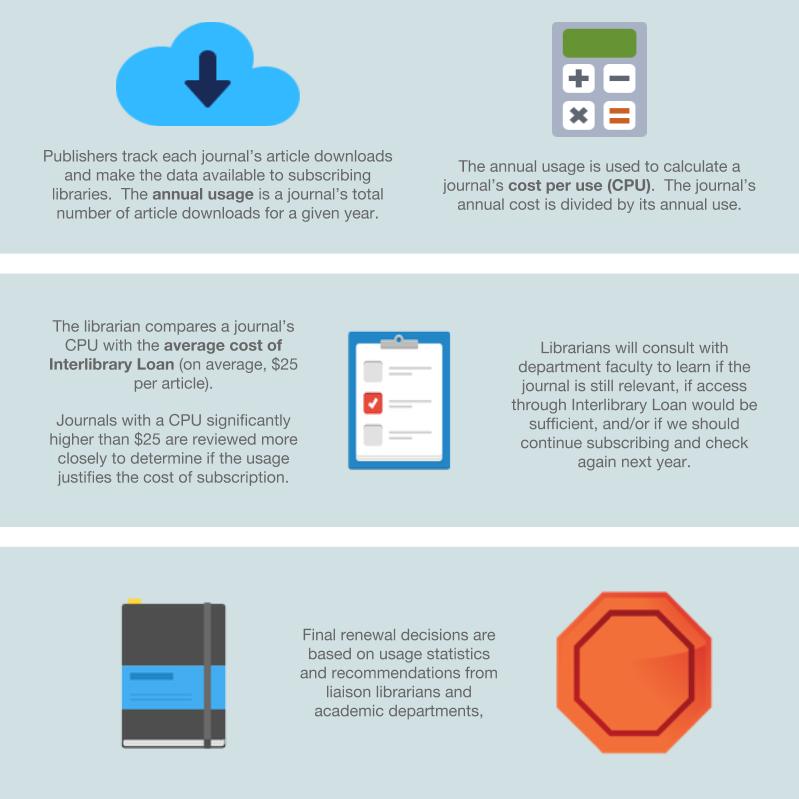
2. All About Usage Statistics

All About Usage StatisticsHere’s what Alana had to say about her designs:

These designs will be part of a series of web pages intended to inform faculty of the new journal review process. Unfortunately, journal usage statistics can be a dry topic for non-librarian audiences and like most statistics, can easily become overwhelming. In this design, I wanted something that was uncluttered and colorful – two ideas not usually associated with statistics. Keeping the audience and format in mind, I focused on using more images than text and for the usage statistics in particular, described each item as part of a larger process so viewers could see both the individual steps and the bigger picture. I used Google Drawings for the designs and found the icons on IconFinder.

I think this a great example of taking a complex library topic and creating a graphic that explains it well to non-librarians. You can find copies of the original Google Drawings Alana created in the Librarian Design Share Google Drive folder. If you have questions about the designs or about the journal review process we’re adopting at St. Mary’s, email Alana Verminski.
Brochures for Students & Alumni

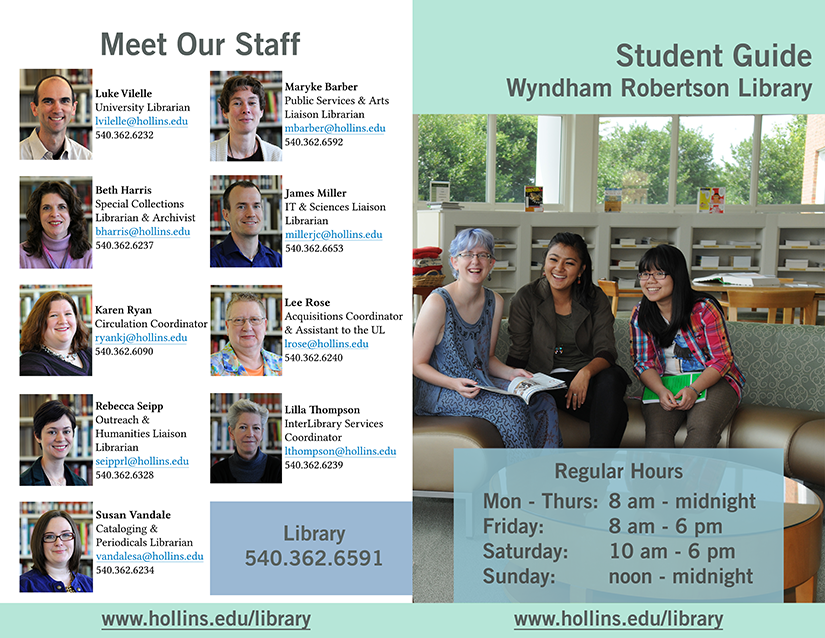
Big thanks to Rebecca Seipp, Outreach & Humanities Liaison Librarian at the Wyndham Robertson Library at Hollins University, for being one of our first Back-to-School design features. Rebecca’s sharing the “Guides to the Library” brochures for students and alumni that she recently revised. These kinds of publications are so tough to pull together. Information changes constantly, and it’s always a balancing act between including information that you think will be helpful and not bombarding people with too much text. I think Rebecca strikes a fantastic balance.

Student Guide - Front and Back - Final
Student Library Guide – Front & Back

Here’s Rebecca talking about her work on these brochures:

This summer I updated our alumnae and student guides at the library. Over the past few years information was continually added to these guides without any redesign. Predictably, that resulted in guides that were dated and dense. My goals for the new guides were twofold: to create a clean look and to include just enough information to highlight our services and keep people interested. All the images were taken by university marketing and the primary colors are from the university’s color palette. Both guides were created in Photoshop and are designed to be printed front/back and folded vertically. You’ll notice that the student guide has text on the inside middle – since it’s only one page when folded the text is still easy to read and it adds an unexpected design element.

Student Guide - Inside Final
Student Guide – Inside

You can see that the guides for alumni are targeted to their specific population and make nice use of a stunning shot of the library and a calm color palette.

Rebecca has shared the original Photoshop files for these brochures on the Librarian Design Share Google Drive Folder. She just has two notes about the files:

The Hollins University logo was removed from the back side of the alumnae guide and replaced with text that says “your logo here.”

When creating the student guide I accidentally flattened the back that has the staff pictures – oops! So what I did is created the boxes and text in the boxes as separate layers and then just have the images grouped together as one layer. So the bones will still be there, but there won’t be any guides for the size of images and text boxes for librarian info.

Thanks for the heads up, Rebecca, and thanks for sharing!

Alumnae Guide Front and Back
Alumnae Guide – Front and Back
Alumnae Guide - Inside
Alumnae Guide – Inside

Chalkboard-Style Poster Design (with Fonts to Love)

Chalkboard Poster by Nono Burling

Nono Burling, Online Resources Coordinator at Washington State Library and manager of the ASK WA Virtual Reference Project, first shared this amazing chalkboard-style poster design on the ACRL Library Marketing and Outreach (LMaO) Facebook group, and we are so excited to feature it here today. It’s a good example of trying something new with conference poster design and makes great use of interesting fonts. Here’s Nono talking about her design process:

I’d originally been asked to present at the College Librarians and Media Specialists of Washing State (CLAMS) 2014 fall conference, but due to time constraints my presentation turned into a poster session. I wanted something eye-catching that would draw people. I’ve always loved those chalkboard designs you see in coffee shops so decided to try one of my own. The “Sneak Peek” part of the poster is a lift-the-flap piece. The entire design goes on a 36″ by 48″ tri-fold poster board.

Here are some of the fonts I used in this design for both the text and ornamental pieces, all free to download:

You can also see more fonts that would work well on a chalkboard design at this great Font Round-Up.

Nono’s poster was created using MS Publisher and Powerpoint. You can download the original files from the Librarian Design Share Google Drive Folder and adapt to your heart’s content (just remember to give Nono a shout-out). Excuse me while I go download all these fonts…

Back-to-School Designs

Welcome Back

The start of the fall semester is a crazy time for those of us who work in school or academic libraries. There are usually orientations for new undergrads, grad students and faculty; open house events for prospective students; and plenty of campus tours that highlight the awesomeness of our libraries. We know many of you out there have put together some amazing orientation materials for your libraries and we’d love to feature them. Brochures, websites, buttons, stickers–if you used them at the start of this semester, we want to see them.

Just submit your design to librariandesignshare@gmail.com and help us build an amazing collection of reusable designs.

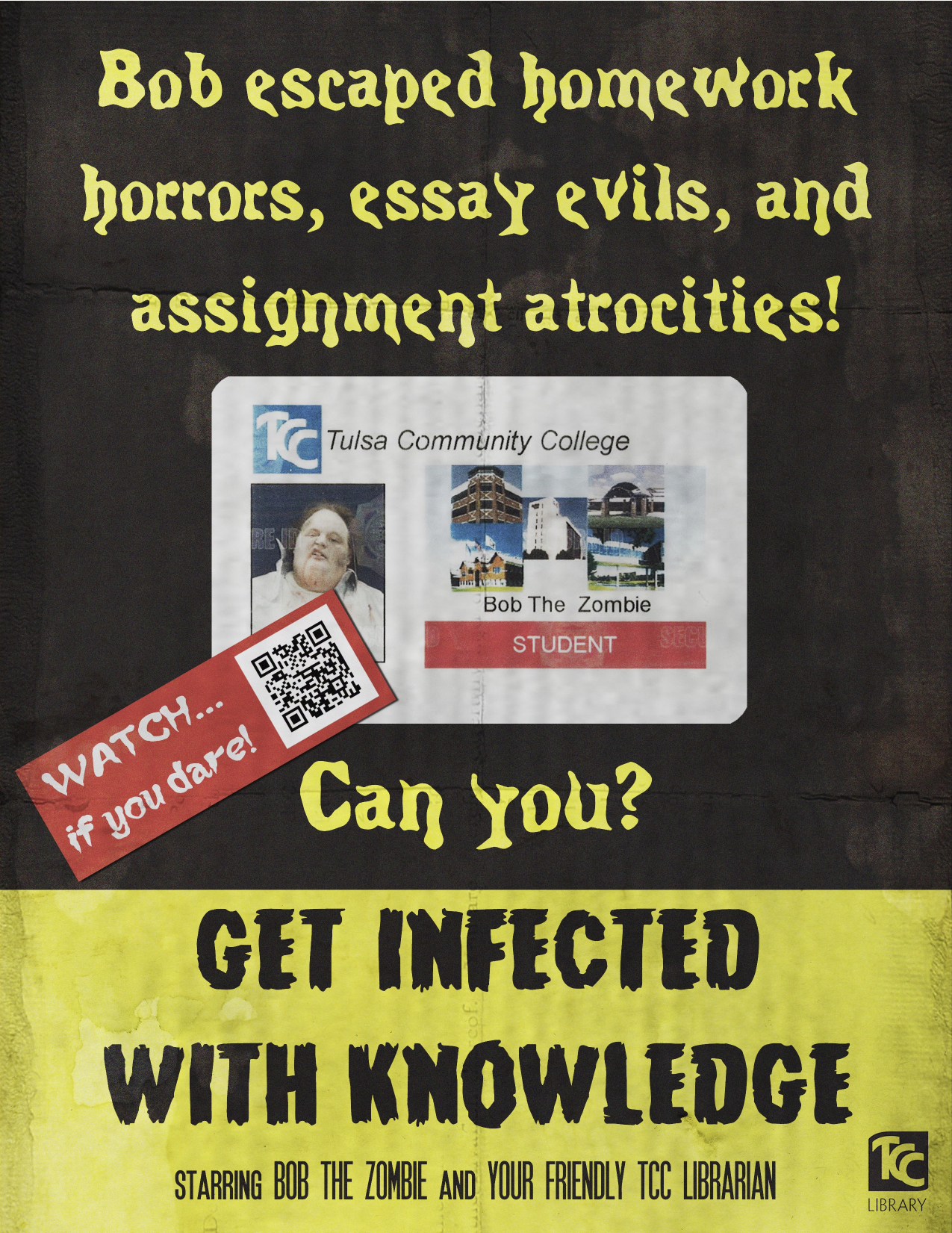
Get Infected With Knowledge

Get Infected With Knowledge - Zombie Library Promo Video Poster


We are loving this fantastic promotional poster created by Natalie Manke from the Metro Campus Library at Tulsa Community College to advertise their zombie-themed library promotional video, Get Infected with Knowledge.

Several of my coworkers and I, along with Tulsa Community College’s video production department, recently created a zombie-themed promotional video for our library (I would be remiss if I didn’t include a link to it), and I designed the poster we’re using to advertise it.


I created the poster in Photoshop. Since our video is zombie themed, I used classic horror movie posters as inspiration for the design I created. I was able to find some tutorials online that helped me give the poster a vintage feel to it. I used textures to make the paper appear aged and creased.  I also found some really great free fonts online from dafont.com. We were somehow able to convince our student activities department to make us a fake student ID for our zombie, so I used that as the main image on the poster. I am really thrilled with how the poster turned out in the end, and it was so much fun to design.

You can download a PDF copy of the poster from the Librarian Design Share Google Drive or you can email Natalie Manke for the original Photoshop file. You can also watch Get Infected with Knowledge on YouTube!

Odds and Ends Need Publicity Too

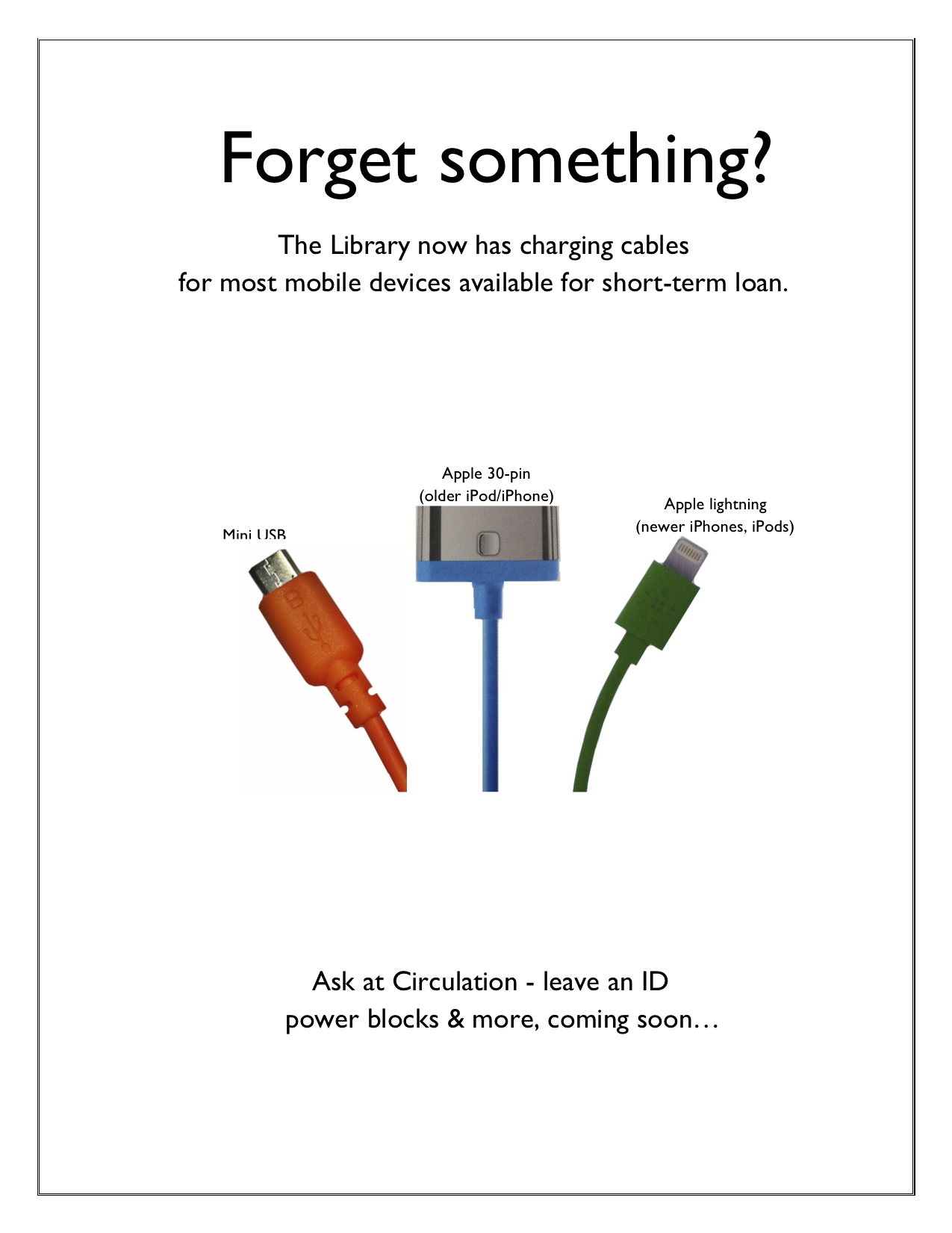
If a student has thought to ask for it, chances are it’s available to borrow at an academic library’s circulation desk. My own library loans dry erase markers, color pencils, laptop chargers, extension cords and floppy disc drives (YES, REALLY), among so many other miscellaneous items. They aren’t expensive and the students are so appreciative to borrow them when we have them.

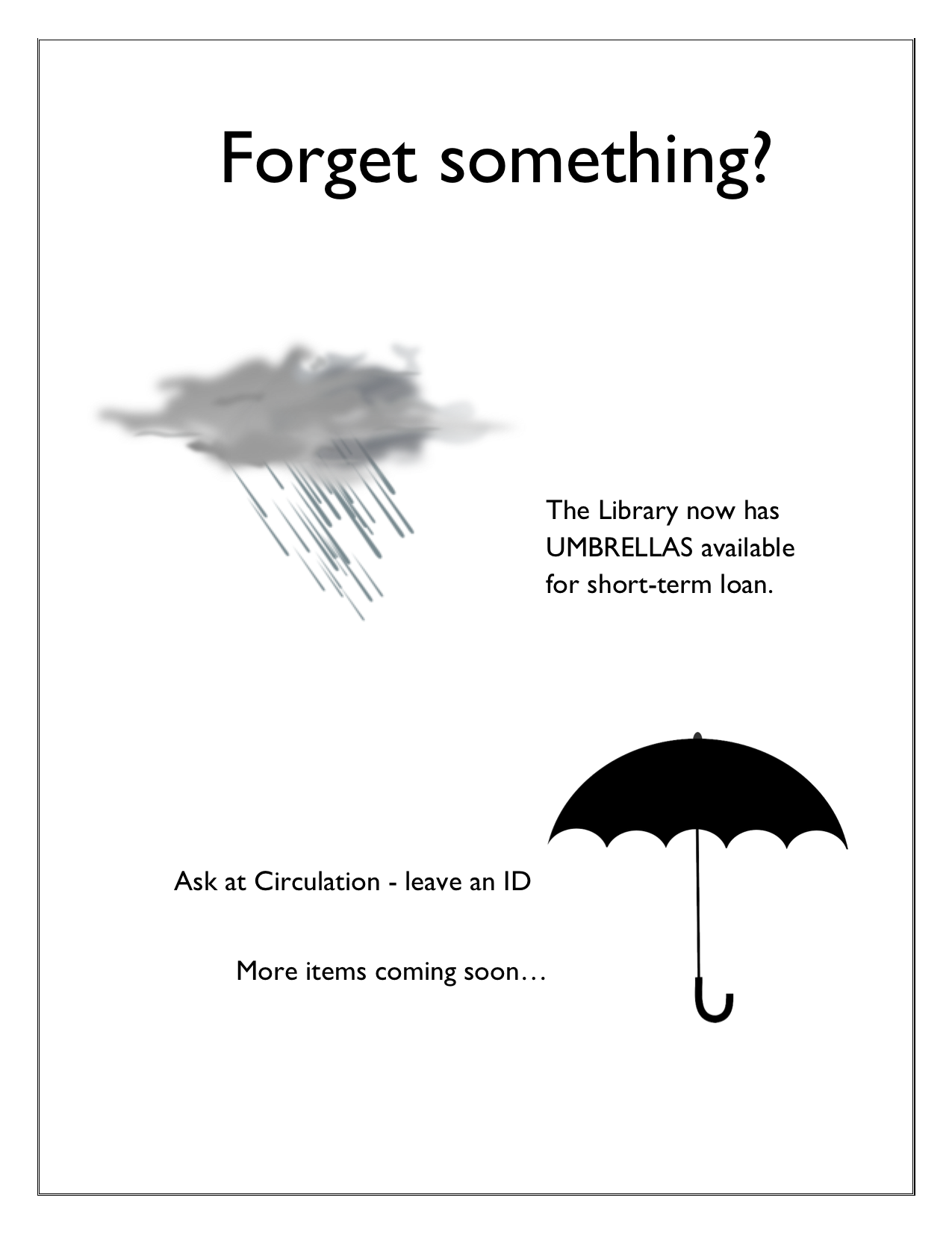
Stephanie Davidson, Interim Director of the Library at the University of Illinois College of Law, created two fun signs to tell students about all of the different things her library has available to loan.

Forgot Something? Charging Cables

Forgot Something? UmbrellasThese posters/signs were created using MS Word. You can download them for adaption from the Librarian Design Share Google Drive.

For the Font Lovers

We’re always on the hunt for unique and stylish fonts for our library marketing and outreach materials. Bored with my usual go-to fonts, I started digging around online and stumbled upon two great resources: The League of Moveable Type and Typewolf.

The League of Moveable Type

The League of Moveable Type is a collective of typeface designers who are making amazing fonts available under SIL’s Open Font License (a group clearly after librarians’ hearts). You can use these fonts for personal, organizational or commercial designs as long as you credit the original designer. You can read their entire Manifesto online, subscribe to their newsletter, follow their blog and browse available fonts. My favorite right now is Ostrich Sans.

Typewolf

Typewolf, curated by Jeremiah Shoaf, is a great source of font recommendations and typeface inspiration. He links to actual uses of different fonts on the web so that you can see them in practice, which is particularly helpful if you’re trying to decide on a font to use for a virtual project.

Happy font-hunting!

Blog at WordPress.com.

Up ↑