Search

Librarian Design Share

inspiration for library creatives

Promoting eResources in the Stacks

American Film Scripts Online

If your stacks are anything like ours then unused advertising space abounds. Our shelf end-caps have small signs with call number ranges on them and not much else. Theresa Mudrock and her colleagues at the University of Washington Libraries are “experimenting with posters in the stacks to highlight specific databases, subject guides and subject librarians.” It sounds like a fantastic use of dead space.

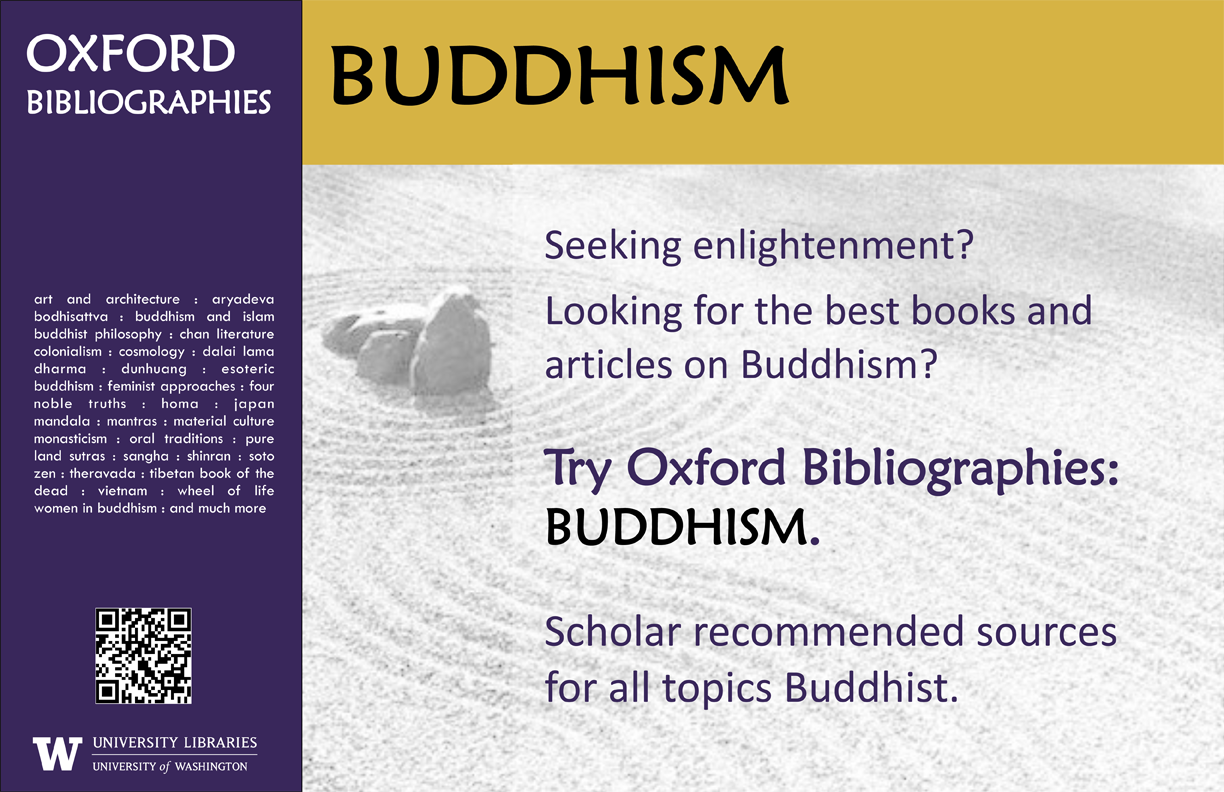
Oxford Bibliography Poster - Buddhism

This poster, created on MS Publisher, promotes our newly acquired module of Oxford Bibliographies. Similar posters were made for other modules including Hinduism, Political Science, etc. The posters were placed in the book stacks in the call number areas for the subject.

It’s a simple but effective marketing technique. Users are already looking for books in a particular subject area, so why not point them to other helpful resources?

ASFA Poster

For the original Publisher files of these posters, email Theresa Mudrock.

Summer is Here

Librarian Summer MemeIt’s been awfully quiet around the blog these past few weeks, and with good reason. Those of us in academic libraries are just coming out of our recovery hibernation: that period immediately following final exams where we need to decompress, drink some wine, and try to forget about the hoards of students looking for scholarly articles the day before their final paper was due. If those of you in public libraries are anything like my awesome local public library, you’re probably taking a programming break before kicking off a jam-packed summer schedule.

Now that we’ve transitioned out of the May resting period, April and I thought it would be a great time to send out another call for submissions.

The theme: SUMMER.

The designers: YOU.

The details: We want to know how you’re promoting summer programs, including summer reading, at your library. Are you creating fantastic book displays for adults, students, or children? Do you have an eye-catching print or online campaign to publicize your library’s events this summer? Are you really proud of your summer reading advertisements?

Share them with us, and we’ll share them with everyone else. We’d love to know what you’re up to this summer.

Photo credits: Top photo is Summer Fun by Ron Cogswell on Flickr. Bottom photo is 2012 Summer Reading Skit @ Millbrae Library by San Mateo County Library on Flickr.

Miniature Marketing

medical librarian's month candy2

For Medical Librarian’s Month last year, I created labels to put on Hershey’s Miniatures.  I originally got the idea after receiving a box full of treats from Amigos Library Services for their online conference.  Amigos had affixed a sponsoring vendor sticker on each snack pack. I figured it would be pretty easy to recreate something like this for our library giveaways and special occasions, and that it would be an easy marketing opportunity.

I used Hershey’s Miniatures because they are fairly inexpensive and I knew they’d be about the same size as an Avery 5160 label (1″ x 2 5/8″, 30 labels per page).  Plus, everyone loves chocolate, right?  I used the labels feature in Word (under the Mailings tab) to create a tiny design that included our name, picture, and a tagline.  I did have to trim about 1/4″ off the edge of the labels to fit them length-wise on the little chocolate bars, but this was easily done with a paper cutter.  I stuck the labels on the flat side of the candy so that patrons would have to notice our message when unwrapping each piece.

I ended up creating three similar designs, and because I couldn’t choose which one that I liked best, I used them all.  Patrons commented about the slight difference in the designs as they were picking through the candy bowl, which meant that they had read the message…mission accomplished.  I’ve modified the design for other events since.

Contact me for the Word Avery label template.

What Did You Do Today?

Often we create a single design to promote a library event, but every now and then an event is so important that it deserves an entire marketing campaign.  This was the case for Maryland Day.

Rebecca Hopman, Special Collections Coordinator and Instruction & Outreach Team Member at the University of Maryland, says:

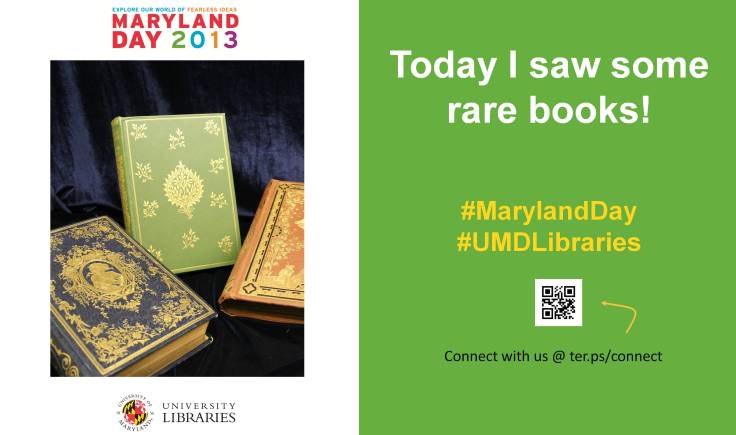
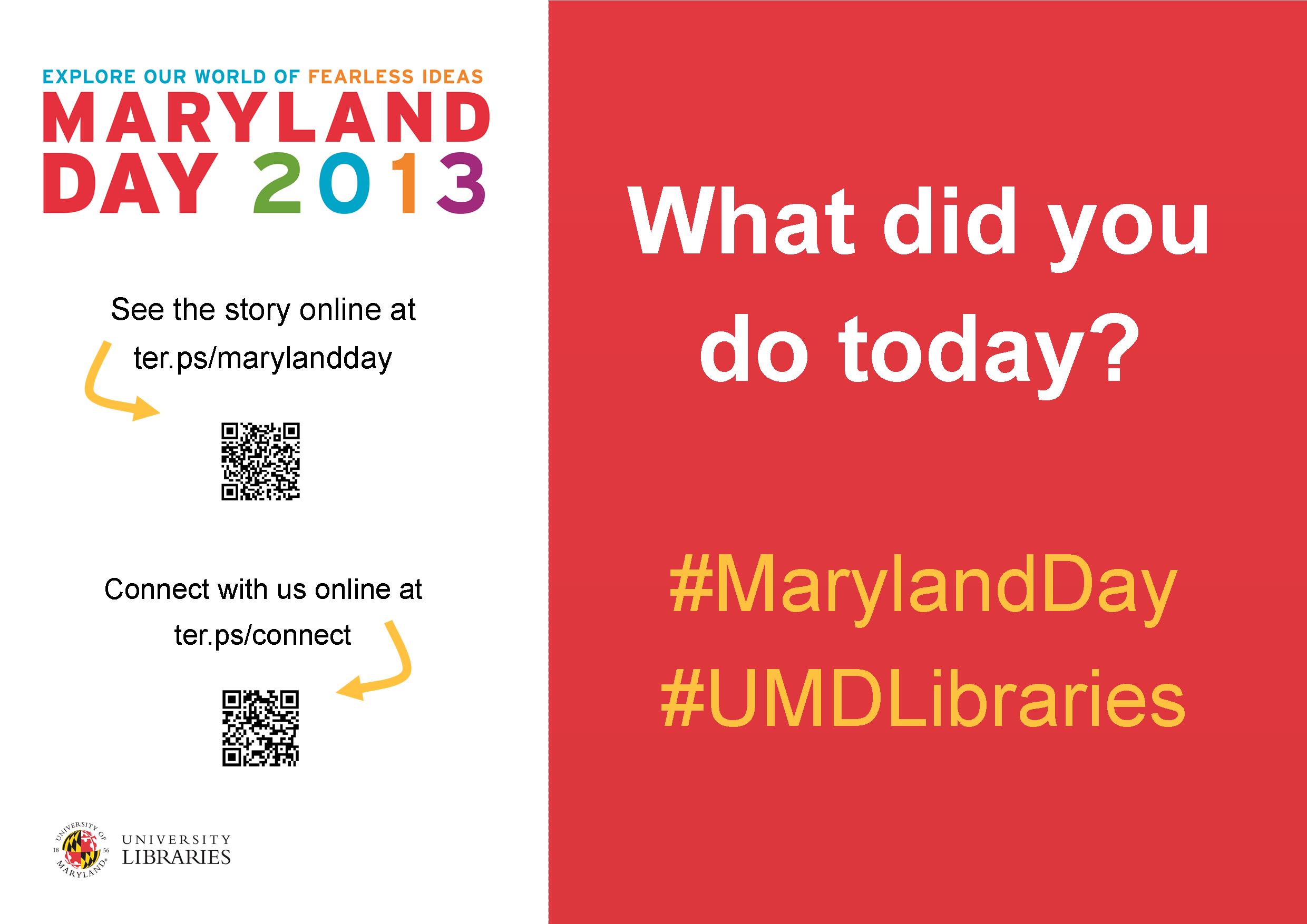
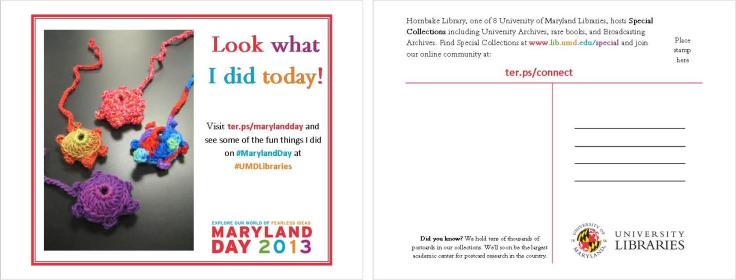
Each year our university hosts Maryland Day, an annual open house for the community, prospective students, and current students, faculty, and staff. The event is a chance for academic departments, campus offices, and local community organizations to connect with visitors. The UMD Libraries ran several events, most of which were held in Hornbake Library and McKeldin Library. Our team created promotional materials to advertise the UMD Libraries’ events and our “What did you do today?” social media campaign, including posters, a library website ad, TV monitor slides, and postcards for people to take with them or mail to a friend or family member.
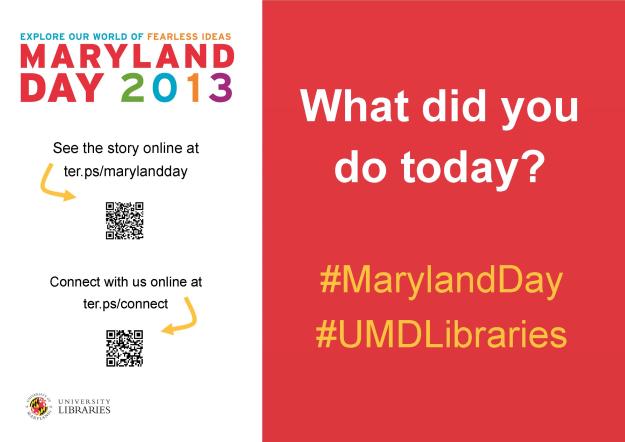
poster

Poster created using Publisher

mailsign1

Mail Bin Sign created using Photoshop
Picture1

Postcard created using Publisher

slide5

TV monitor slide created using PowerPoint

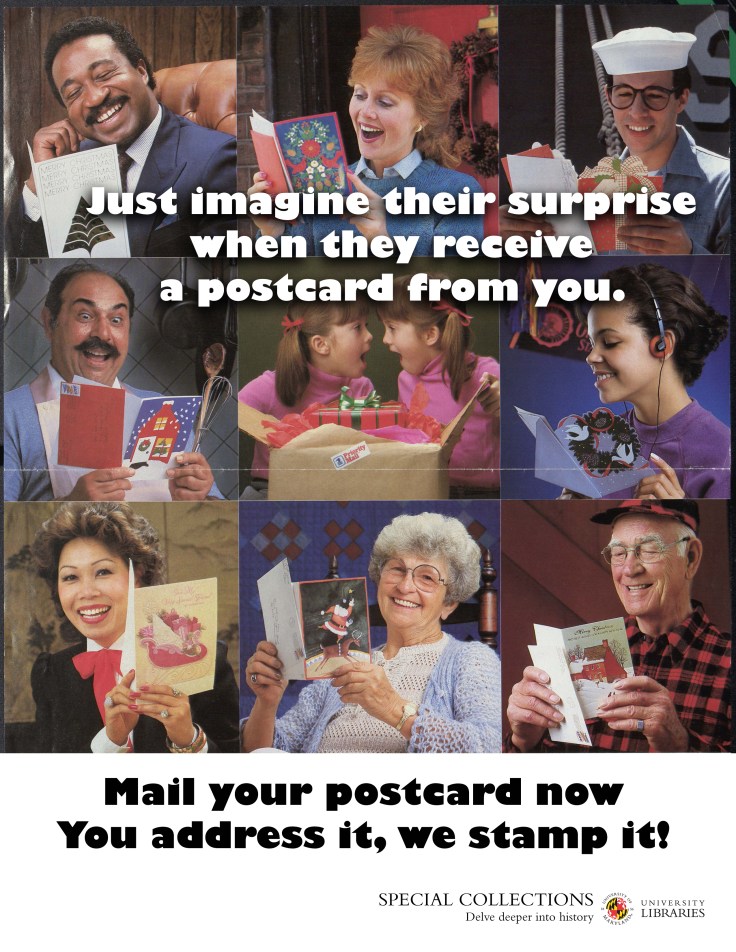
We wanted to keep the design fun, simple, and colorful, so we used our official university colors (red, yellow, black, and white) as well as Maryland Day colors (bright red, green, blue, orange, and purple). For the postcards and slides we took original photos of our activities, and we used images from our digital collections to advertise the fact that we would stamp and mail postcards for people who wanted to send them to friends and family members. With each design, we tried to keep the amount of information to a minimum and emphasize the sharing/online component.

Wow, right?  Everything UMD has done here is awesome, but I especially enjoyed the social media aspect, because you can see how much the community enjoyed the event!

Rebecca and her colleagues, Laura Cleary, Special Collections Coordinator and Instruction & Outreach Team Leader, and Sarah Espinosa, Graduate Student Assistant and Instruction & Outreach Team Member, used a variety of programs to best suit their creative needs.  For the original files of any of the designs, contact Laura Cleary.

Designing a Presentation About Design

Yesterday April and I were fortunate enough to present at the Amigos Annual Member Conference. Their theme for this year was Ingenuity, Imagination, and Innovation: Using Creative Solutions in Today’s Library, which we thought was a great opportunity to share the creativity on display on Librarian Design Share.

Here are the slides from our presentation.

Look familiar? We tried to feature different designs you’ve shared with us as well as some of our own. I used Photoshop to create all of the slides (1024 px x 768 px), then inserted them as images into a Google Presentation that April and I worked on together. It was kind of a pain, but it was the only way to use the font selection from the Librarian Design Share logo in Google Presentations. Overall, I’m pretty happy with the results.

We had a great time presenting and learned a lot from the folks that came to hear us speak. Thanks, Amigos!

If you’d like to adapt or reuse any of the Photoshop slide files, send me an email.

Legal Research on the Go

Our goal here at Librarian Design Share is to be able to inspire you with creative ideas so that you can take them back and modify them for your own use in your library.  David McClure, Head of Research and Curriculum Services at the Wiener-Rogers Law Library at the William S. Boyd School of Law at the University of Nevada, Las Vegas, had done just this, and we’re so impressed with the results.

unlvs1

unlvs2

Here is David’s description of the design process:

For some time, our library had considered various ways to share information on legal research apps with our students and faculty.  While reviewing the ALL-SIS Task Force on Library Marketing & Outreach’s Academic Law Library Marketing & Outreach Toolkit, I ran across a reference to the Librarian Design Share blog.  The January 23, 2013, post on “Advertising a Tablet Page” provided the creative spark (and the template) to make the handout a reality.  We converted the template from Publisher to Pages format, and we increased the image size to create a full-page handout.   

Special thanks to April Aultman Becker and the Librarian Design Share blog for sharing the Publisher template with us.  Library research assistants Jessica Perlick, Elizabeth Ellison, and Andrew Stagg also contributed their excellent research and design skills, along with their creativity and enthusiasm, to the project.   

A PDF version of the handout is available for download through the Scholarly Commons @ UNLV Law at http://scholars.law.unlv.edu/refdeskguides/8.  For the Pages version, please contact David McClure (david.mcclure@unlv.edu).

David mentioned that this was his first project with Pages and that he enjoyed the program’s flexibility when it came to manipulating images.  Anyone else out there using Pages?  We’d love to see!

A Presentation Completed!

Last month I posted a work in progress. I was using Powerpoint for the first time in years to create slides to accompany a presentation I was giving with my colleague Abe Korah at the Texas Library Association 2013 Conference. The conference has come and gone, the presentation went well (yay!) and the slide deck is complete. I thought I’d share it with everyone here.

It obviously doesn’t make a lot of sense apart from the presentation, but that’s ok. I think a good Powerpoint should be used to enhance a presentation, not be the primary mode of information dissemination during the session. They’re listening to you, not reading!

If you have a great presentation you’d like to share, don’t forget to submit it to us here.

Democratizing Design

What do you do if you’ve labored for hours (or days or weeks) over a design and your coworkers just don’t like it?

When I create something new, I always show the prototype to a few key people as I’m in process.  I can get their early opinions and shift my design if it’s necessary before spending too much time and energy on it.  In my dream world, I would use 5 or 10 minutes of our monthly staff meeting to project my designs on the big screen, and everyone would care as much as I do about colors, images, and spacing, and readily and openly share their thoughts on each element of the publication.

But this doesn’t actually happen in real life…you’re lucky if you get someone to say “yeah, I like it,” right?  And if they say something negative, like your design is too simple, or that it misses the point, or that –gasp– it’s unprofessional, it almost becomes a personal affront. This is because design often feels very personal after you’ve poured your time and energy into it.  However, it’s important to remember that when someone contests your handout, infographic, or web slides, they really aren’t attacking you.  It’s likely that the person is just coming from a different perspective, and it’s worth hearing them out and considering revising because design, in essence, is not personal at all.  Design is for the public, so it is of the utmost importance to consider the public’s reaction to a design.

A situation like this recently happened in my library, and the solution was to have our staff vote in an anonymous survey (we used SurveyMonkey) on their top choice between two designs.  Be prepared, though, in a democracy, your choice doesn’t always win!

Hjørring Public Library: Sleep With the Fishes

This is the last post in our series on Hjørring Public Library in Denmark. It’s a little late (sorry, Martin!), but trust me, we saved the best for last. Here’s Martin Jørgensen, Digital Librarian, to tell you about a truly amazing library display:

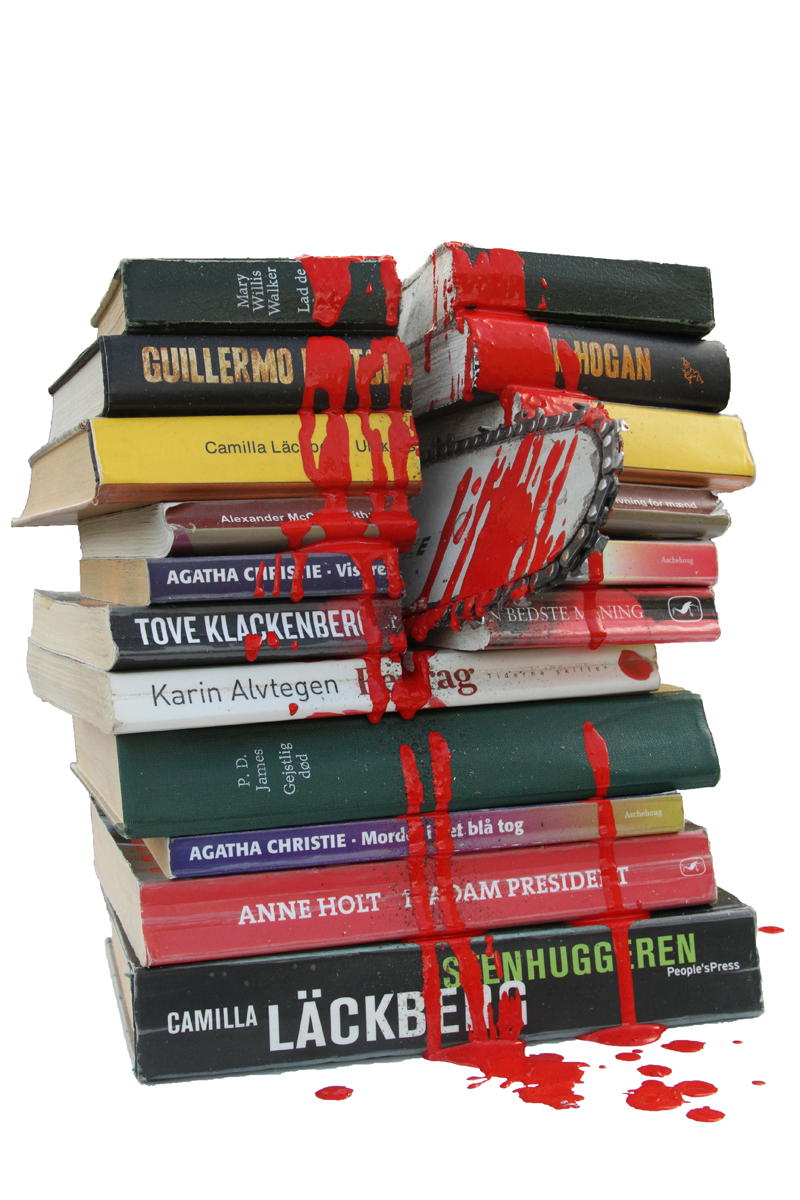
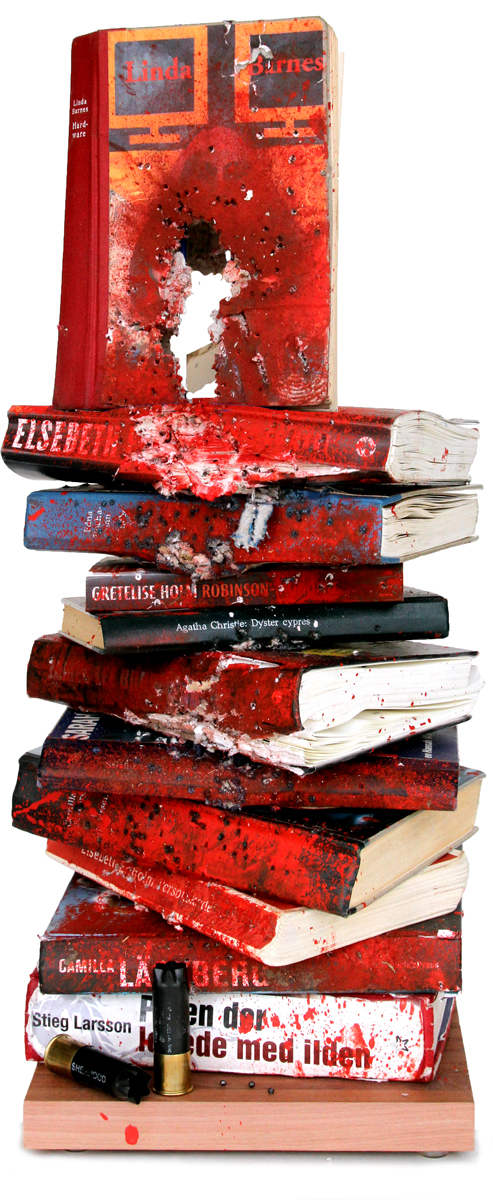
Here in Scandinavia Nordic crime fiction (Nordic noir) is all the rage, and a lot of our patrons check out crime fiction. Only trouble is that there is a good deal of different crime series to keep track of, so at first we made a simple catalogue, listing the order in which the novels and series should be read. We wanted to make a cover and visual line that related to the genre of crime fiction, suspense, gore and even killing. That theme quickly developed to different ways to kill off books.

sawed books

Books were sawed in half with a chain saw.

shot books

Books were shot! A coworker is also a hunter, so he took a pile of discarded books, shot them and smeared red paint all over. (By the way, guns are strictly prohibited in all forms in Denmark except from hunters.)

book gun

Discarded books were made into bookguns with the help of power tools. Photos of all killed off books were taken for the cover of our crime fiction catalog and the shot, sawed, and cut out books were put on display in the library.

drown poster

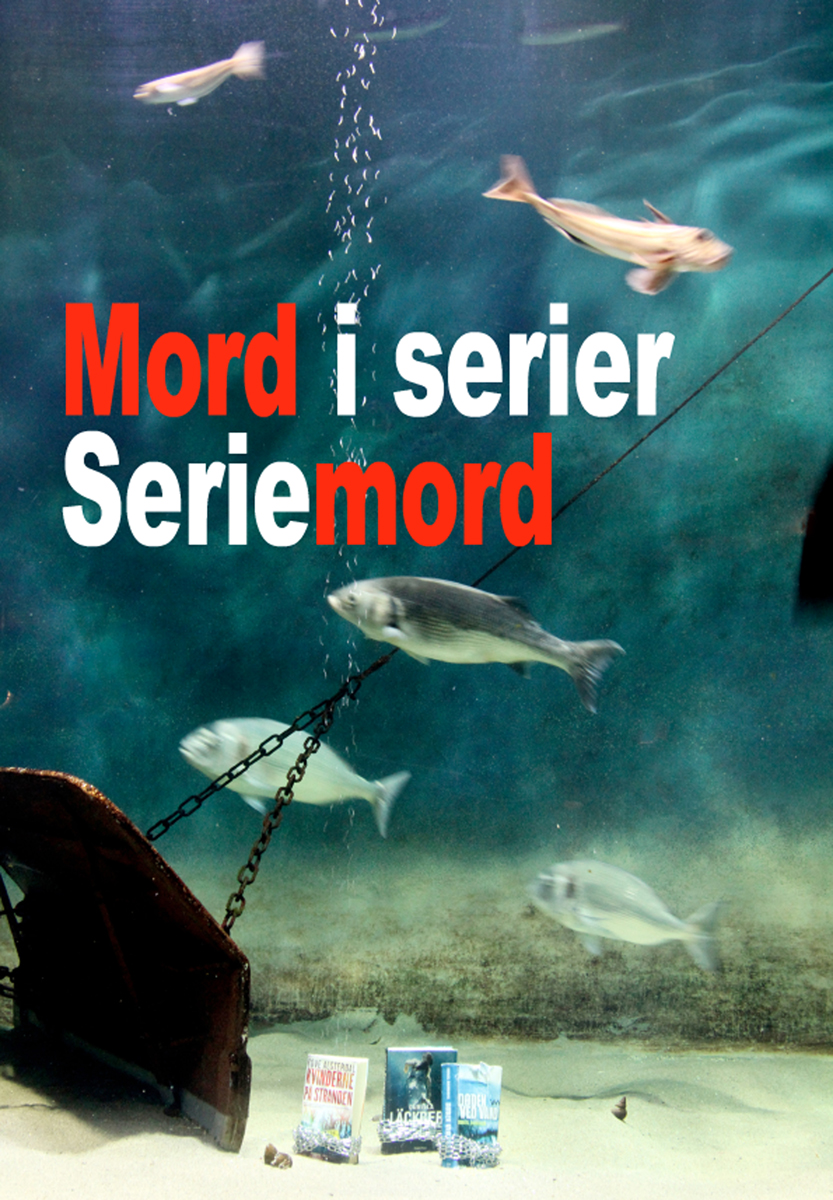
For our most recent version we decided to drown the books mafioso-style with chains. With the help of the local Nordsøen Oceanarium we got permission to drown books in one of their huge aquariums, and photograph and film the process, which now can be seen online (the title “Mord i serier – Seriemord” roughly translates into “Murders in series – Serial murders”).

So now our Sleeps With the Fishes project is a package consists of a new cover and updated catalogue, a commercial movie, display pieces (aka. the drowned but now dry books), posters, slides for infoscreens, and roll-ups.


Blog at WordPress.com.

Up ↑